ITBLogs.Info
Category: "Android"
Using Skype on Galaxy S
I think the most of people know even Skype has released their client for Android, but it does not support Galaxy S. Yes, I know some people told they are using a unofficial 2.2 ROM, they can use Skype android client. But so far, Samsung has not released their official 2.2 upgrade yet! If you want to upgrade Galaxy S with an official ROM only, then what can you do?
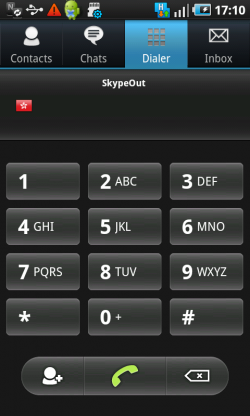
Well, I found an app which is very similar with the official Skype Client. It calls Nimbuzz。It supports IM,Skype-to-Skype calls, SkypeIn and SkypeOut. It only does not support sending SMS. So far their function is quite completed, but I tried it with 3G connections. The voice quality is not very good. Moreover, it used a lot of CPU and eats a lot of battery power too! Well, it can do the job, but that is not 100% prefect so far.
Skype for Android finally released!
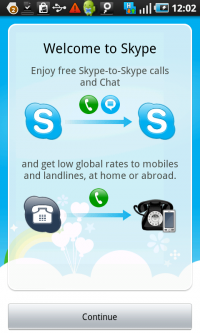
A few days, Skype released their "long waiting" Android Client. This is not a Lite Version,that is a full-version, which is similar with the one in iPhone and Windows Mobile.If you have a phone with Android 2.1 or above with 3G/wifi,you can use their IM and Skype to Skype call features。If you buy their skype Credit,you can send SMS to your friends around the world via Skype。Moverover,you can use the SkypeOut to make an international call. In additional, I believe you can use SkypeIn feature as well, even this feature is not stated in their official blog. This should not be a problem. SkypeIn is just redirecting calls from a landline number to your Skype account.
Wow!Skype for android is powerful!I bought Skype Unlimited Unlimited World subscription,therefore, I can make any international calls from skype anywhere.Too Bad Skype For Android doesn't support Galaxy S which is my phone!
Reference:
Finally Android Market goes "Globally"

Source: OpenClipArt under Public Domain License
Finally, Android Market did an improvement we were waiting for so long. The Android Market supports more countries! Now, the people from 32 countries can buy the apps from the Android Market. And the developers from 29 countries can sell their apps in the Android Market. That's great! Most important is the Australian Developer can sell their apps. I am look forward to see more Australia localized in the Android Market.
Reference:
Android Developer Blog
SMS Backup for Android Phone
Every times, when you upgrade your ROM, you will lost your all sms in your phone. So, we need a sms backup program. There are a number of applications which can backup sms to Gmail. They will send all of your sms as email to your Gmail. This is a workable way. But I don't like it very much. First of all Email is email, SMS is SMS. They are two different things. I don't mix those two things together. Moreover, I don't want to put everything on the cloud. I want to keep some records in my local drive. Well, I did a search in Android Market and I found an application calls "SMS Backup and Restore".This is another type of application. Simple and just did what I want. It can backup and restore SMS via xml files in your SD cards, no internet connections are required!
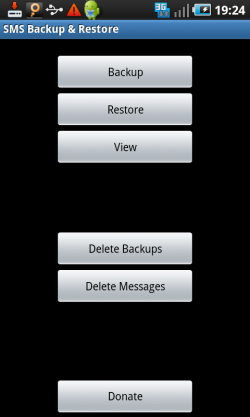
Just like this, you can through a simple menu like this,to backup SMS to xml files, and delete those old backup files. Nice and simple!
Truphone
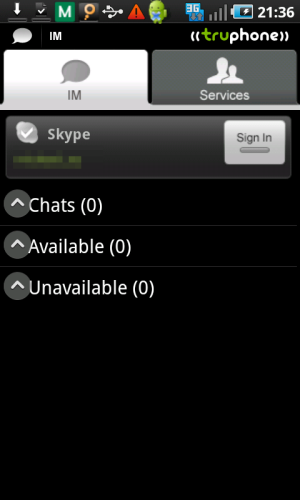
Android got a very poor support from Skype. Skype has a Skype Lite in the Android Market, but they withdrew the application later on. Moreover, Fring used to be support Skype. Not long ago, I found Fring doesn't support Skype anymore. But I found another VOIP client, Truphone.
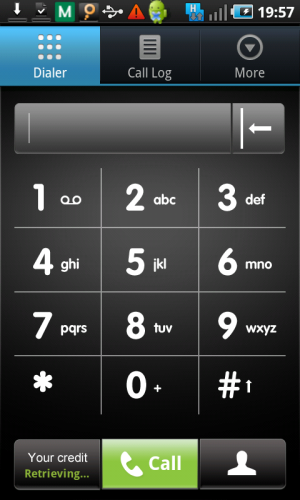
It is a "software phone". It can call out normal landline. Moreover, it supports a number of IM applications, such as GTalk, MSN, AIM and Skype too! But that is same as previous versions of Fring. It won't support SkypeOut. Anyway, that is a good replacement of fring.