 ITBLogs.Info
Category: "Opinions"
Eclipse vs NetBeans

Most of friends are good at Java recommended Eclipse to me as my main IDE for Java. There are a lot of plug-ins, such as spring IDE. But I still feel more comfortable to use NetBeans. Because I spent some time using Netbeans many may years ago. Morover, I felt NetBeans is more similar with Visual Studio, that seems to be more C# programmer Friendly. As a C# programmer, so I choose it. Besides, Netbeans support Spring MVC3 and Hibernate which are the frameworks I need to use. It can fulfill what I need. Thus, NetBeans is my choice!
I need to use JSON in my android app
I am design the architecture of my android app now. At this stage, I am considering the interface between my app and the server. I am thinking to use the XML SOAP protocol. This is because the XML is very heavy weighted. There are Extra text in xml , such as "
Kubuntu 11.04 - Performance

I am very happy about the performance of Kubuntu 11.04! My old laptop only has Duo T7500 and 4GB Ram. T7500 has only 2 cores(2Ghz) and 4MB Cache. In such configurations, I found my old laptop is not much worse than my new laptop(Win7) which has i7 2630 QM and 8GB RAM. 2630GQM has 4 cores (2Ghz) and 6MB Cache. I think at least 2 times powerful than my old laptop, that has double number of CPU cores and RAM. Kubuntu is done a great job!
Extended the life of my laptop with kubuntu 11.04

I got 12" old laptop, Asus F9 Series. It has Duo T7500 and 2GB RAM with Windows Vista Home. That is a bit old. Today, I did an upgrade. I change the RAM to 4GB. Originally, I wish to upgrade to 8GB. But the laptop only has DDR2 slots. The computer I went today has 2GB DDR2 RAM. Therefore, 4GB is the max I can have. I hope that will have good enough.
I did an OS upgrade too. I changed to use Kubuntu. That is lighter than Winodws, I think! Moreover it got more modern interface than Windows Visa.
Now, I successfully did the upgrade. The laptop is with Chrome, Mono and Java EE too! The most important is its performance is still OK!
(P.S. Kubuntu is installed successfully, all hardware drivers are working)
Acer Iconia A500 - External USB Port
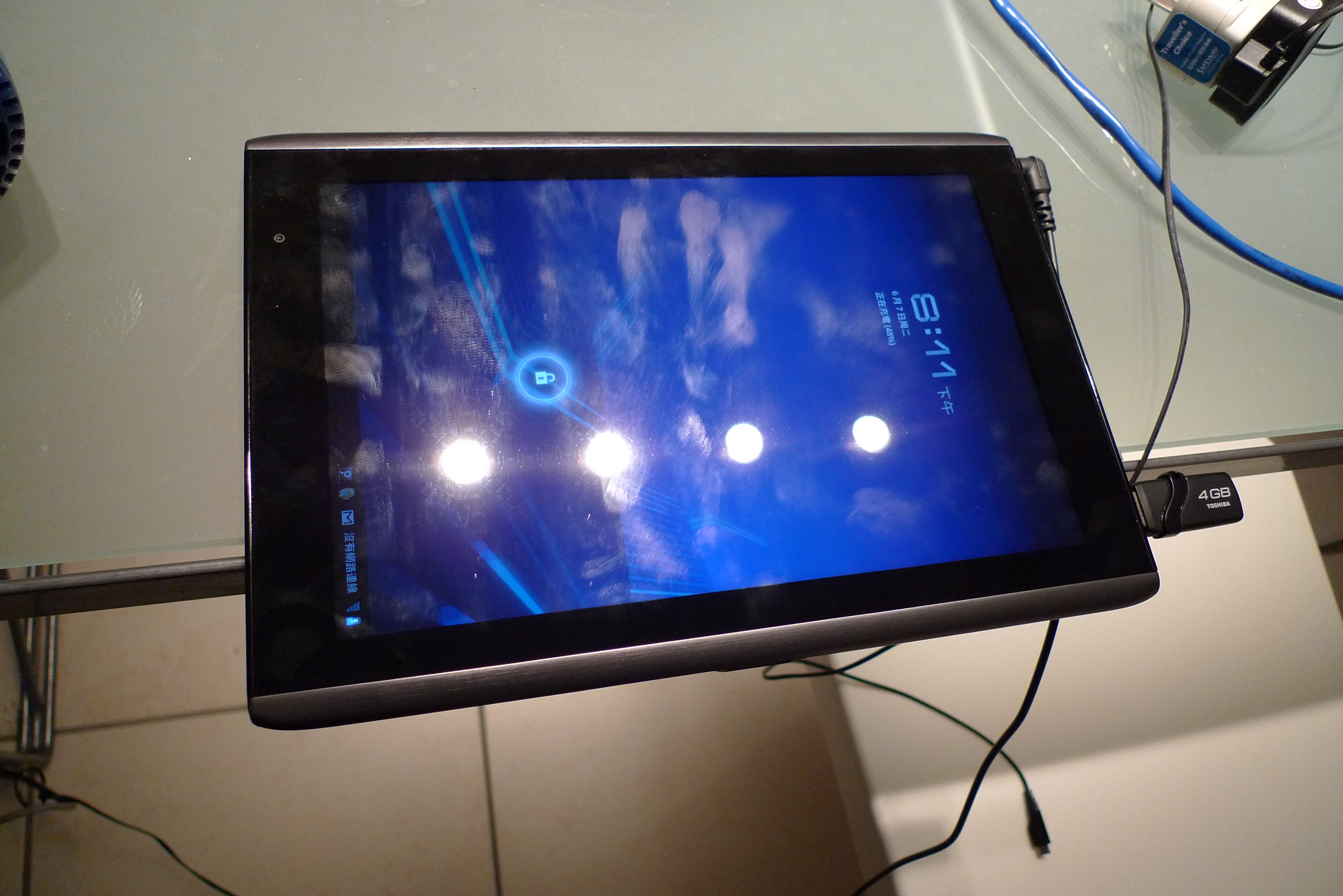
Another good feature in Acer Iconia A500 I love! That is the External USB Port. It can connect to an USB Flash Drive. That is very convenient. For example, last Saturday, a friend needed to play a song in our fellowship. Before I bought my tablet, I needed to a netbook or laptop for playing songs. But now, I only need a tablet. I can plug it into my tablet and browser though a file explorer app. I picked the song and click it, then it will plays from the tablet. By the way, the sound quality of A500 is very good too!
Moreover, you can plug in an external keyboard to USB port. Now, you can turn A500 is a cut-down version netbook! That is so great!