 ITBLogs.Info
Shortcode in WooCommerce
If you want to have a new custom shortcode in WooCommerce, you can add the codes in wp-content\plug-ins\woocommerce\includes\class-wc-shortcode.php. That will works, however, that is not the best practice. Because if some one updated the woocomerce plug-ins, then your custom code will be overwritten. I suggest you write your plug-in, Then using:
Code
add_shortcode( 'list_products', 'list_products' ); | |
function list_products( $atts ) { | |
.... | |
} |
Then you can have your own shortcode, then you can use global $woocommerce_loop; , that global variable to retrieve the data from woocommerce.
Xamarin without Mac Host Agent
I just downloaded the new version of Xamarin last week. In the old time, I need to install a mac host agent and ran it every times. That is not very good. I found the new version can build the ios app without that Mac Host Agent. They use SSH remote login to build the app. You only have to enter "remote login" in the spotlight search, then enable remote login in sharing windows. Then that is!
However, I found my iOS device still need to connect with my mac book. If they can do the debug redirect to my windows laptop, then that is great!
Edge Error:can't reach this page
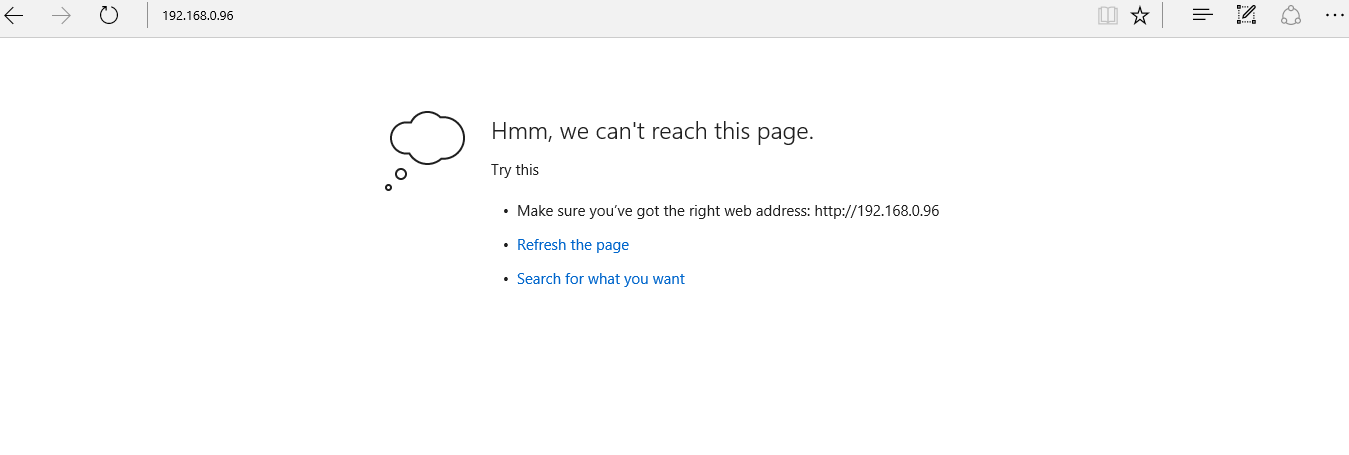
After I updated my laptop to Windows 10 about a week, today, I suddenly found out the edge browser cannot connect to the internet. However, my Chrome browser in the same laptop is working fine. Also, I can reach the website by entering IP address in Edge Browser. I did a research on the internet. Some people mentioned that may be the dns server. I checked my laptop by using nslookup, It is working well. Finally, I found some people mentioned on the internet, that may be caused by DNS Client is not running. Then I went to the services setting, I found "DNS Client" is disabled. Then I enabled that and start it. Now, that is working now
Windows 10 Upgrade Errors: Fail to config
This afternoon, I rebuilt a pc with Windows 8. That is not much problems about that, however, after I finished the process of rebuilding and trying to upgrade for Windows 10. I downloaded Windows 10 Upgrade assistant. It helped me to download the windows 10 installation files. However, the 1st attempt is failed after all files are installed, but it said more one of components are failed to configure. And it restored to Windows 7. In 2nd attempt, I unplugged all USB external devices, such as printers and scanners. Then it upgraded successfully. If you faced the similar errors, maybe you can try this method!
I upgraded my pc to Windows 10

Last night, I spent about an hour to upgrade my pc to Windows 10, because the free offer from microsoft for Windows 10 Upgrade will be end on July 2016. I don't want to miss that. Moreover, I have finished the major projects.
I got Toshiba Satellite which I bought it around September ,2015. That is already tested by Toshiba to ensure Windows 10. Thus, I have no problems for the upgrade. Moreover, all apps are working such as Android Studio, Visual Studio. Not bad at all, that sounds faster than Windows 8.1. I am happy about that! And I got back the "Start" menu which I love since Windows 95!
I wish you got same lucks as me!